Built to scale
Map thousands of addresses, beautifully.
Mapalist syncs your Google Sheet to a live, interactive map — clustering, heatmaps, custom pins, daily auto-updates, and embeds. Built to scale to hundreds of thousands of points.
- Auto-syncs as your sheet changes — daily or on demand
- Cluster & heatmap views for very large lists
- Private link, or publish & embed on any site
- Up to 250,000 pins on the Volume plan
Start free · upgrade anytime as your maps grow
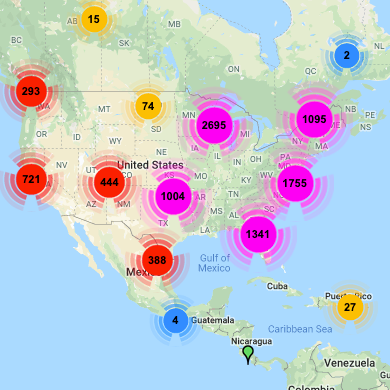
Clustering
huge lists stay readable
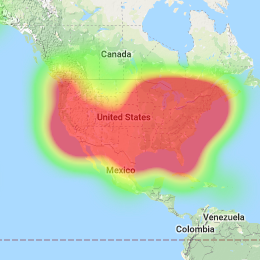
Heat maps
see concentration at a glance
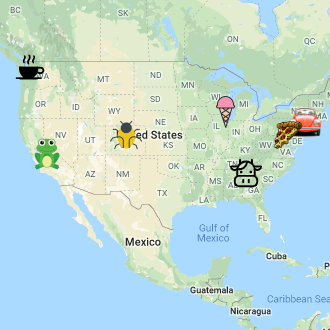
Custom pins
color & group by your data
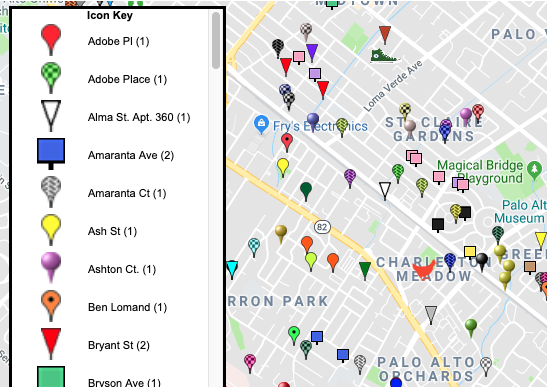
Group by column
a pin style per category
Pricing
Start free, scale when you need to
Free to try. Paid plans unlock bigger maps, more views, and priority syncing.
Free
Try it out
a map from your sheet, no cost
Most popular
Basic
100,000 pins
for growing lists
Volume
250,000 pins
for serious scale